Traefik Hub on VMware Cloud Foundation
One Front Door for the Whole VCF Estate
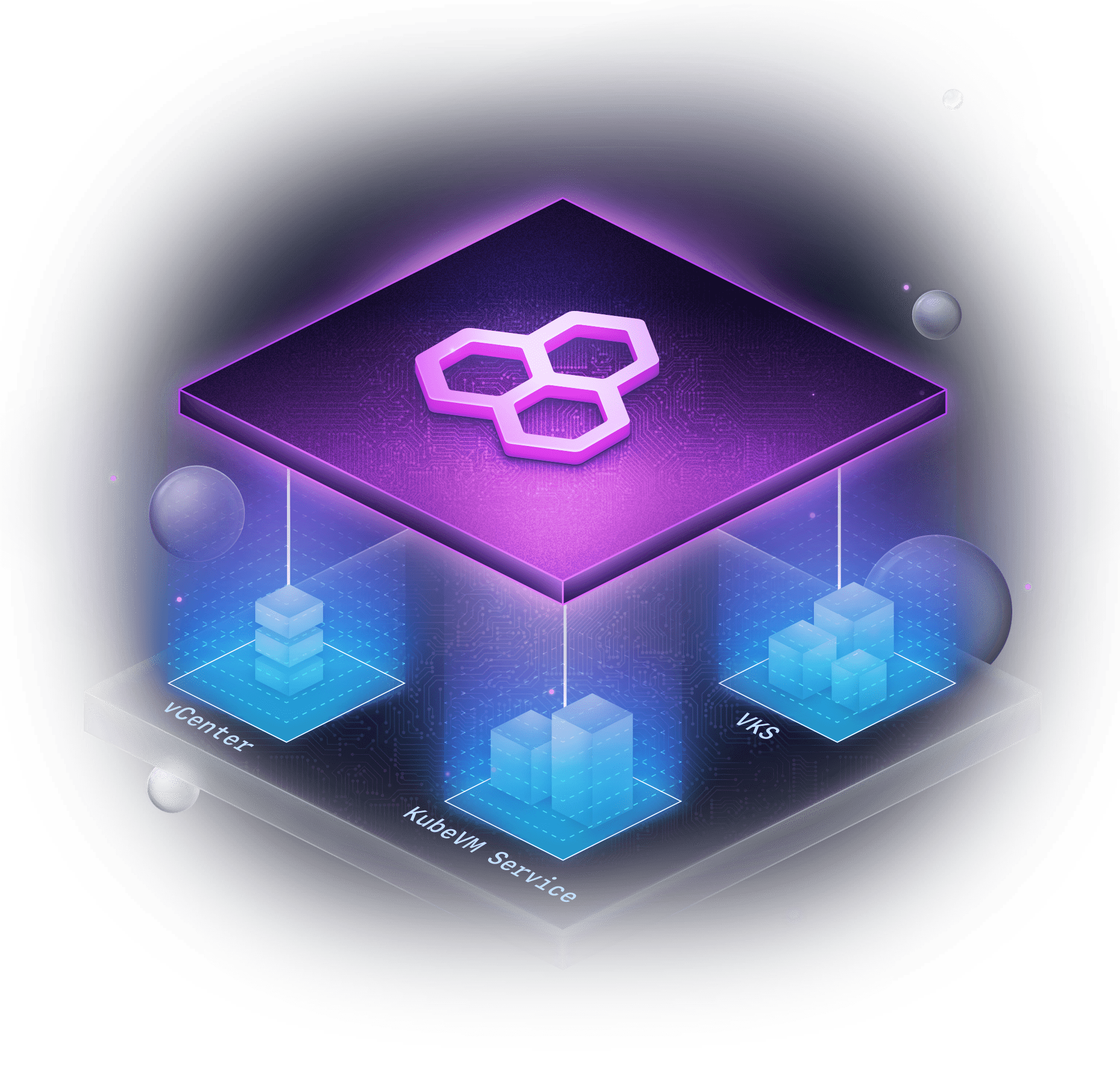
Traefik Hub puts virtual machines in vCenter, KubeVMs through KubeVM Service, and containers on VMware vSphere Kubernetes Service (VKS) behind one gateway, so you modernize at your own pace.
VALIDATED REFERENCE ARCHITECTURE
Traefik on vSphere Kubernetes Service on VMware Cloud Foundation
TRAEFIK LABS IS TRUSTED BY LEADING ENTERPRISES WORLDWIDE


















The Challenge
When Workloads Move, the Front Door Must Be Rebuilt
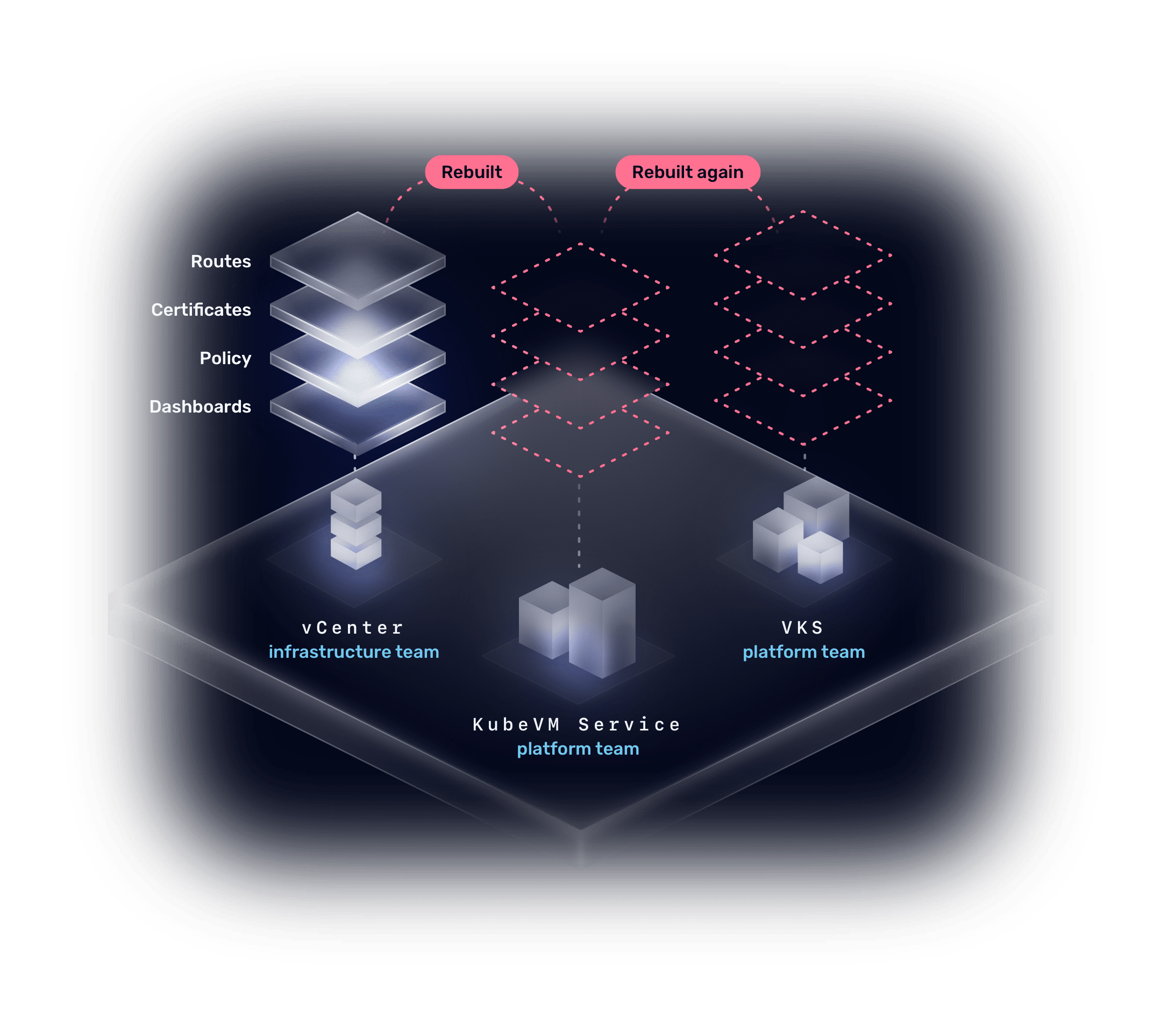
VCF runs VMs and containers side by side, run by two teams. Moving an application from one to the next becomes a project of its own, with plenty of room for error.
Without Traefik Hub
Every Move Starts from Scratch
Routes, certificates, policy, and dashboards belong to the old home, so each step up the stack rebuilds them for the new one. It’s a serious project every time.
Your gateway is rarely why a move happens, but it is often why it waits.
Four Questions Come Before Any Move
Question 01
Can one gateway reach VMs and containers alike?
Question 02
Can each team keep its own tools and credentials?
Question 03
Will users keep the same address and certificate?
Question 04
Can we cut over, and back, with one change?

The Solution
The Workload Moves. The Front Door Does Not.
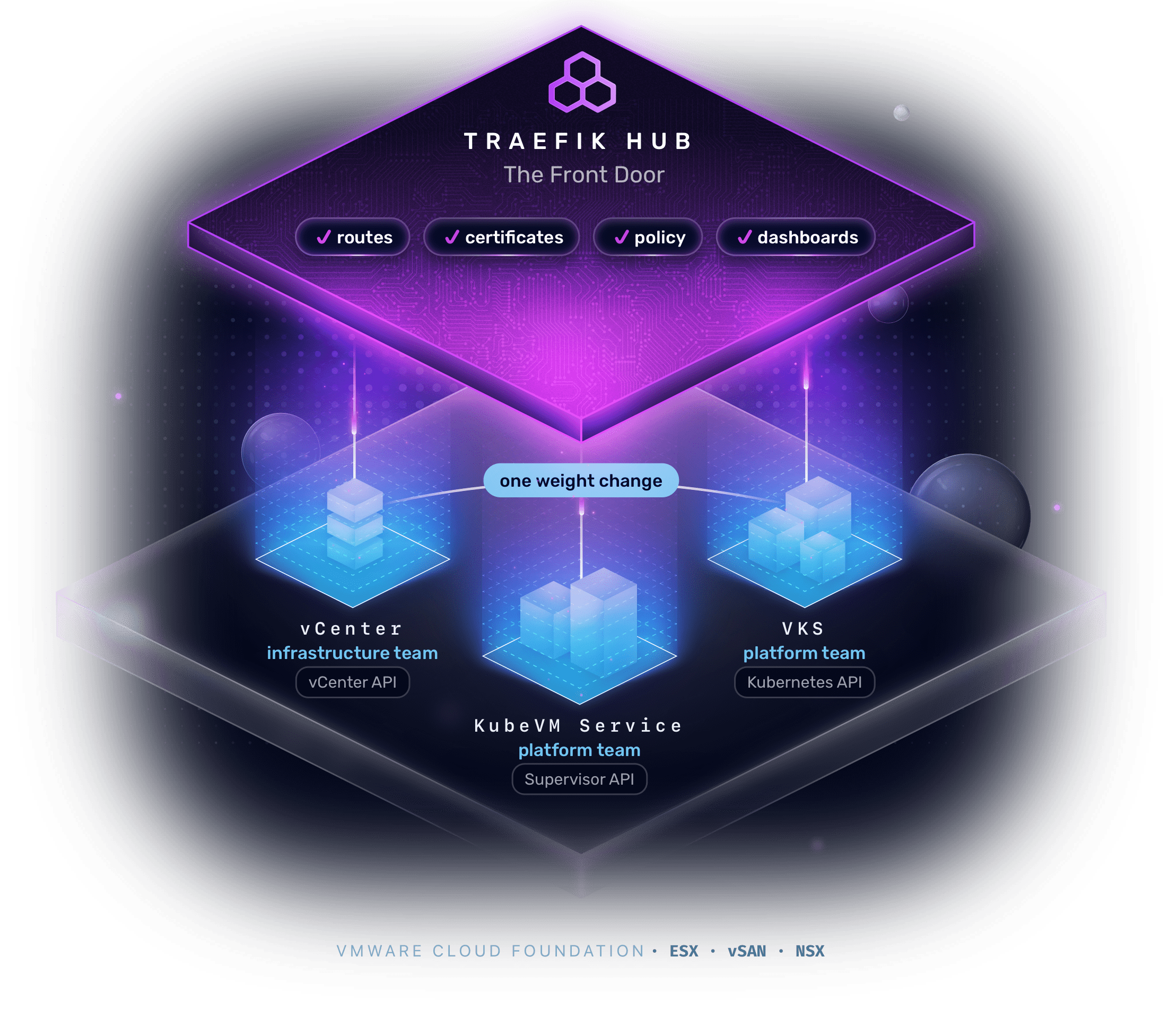
Traefik Hub runs on VKS as one front door for VMs in vCenter, KubeVMs, and containers on VKS. Routes, certificates, policy, and dashboards live on the gateway, so moving a workload beneath it is one weight change.
See It In Action
The Whole Story, in Under Three Minutes


Chapters

How It Works
One Traefik Hub on VKS. Every Estate Behind It.
Traefik Hub finds every workload read-only, through the vCenter, Supervisor, and Kubernetes APIs. Each of the four moving questions now has answers:
Question 01
One Front Door?
VMs and containers share one route table.
Question 02
Own Tools?
Each estate is read through its own API, read-only.
Question 03
Same Address?
The route, certificate, and policy live on the front door.
Question 04
Way Back?
A move is one weight change, and so is the way back.
From the First VM to Containers on VKS
kind: TraefikService weighted: services: # the VM in vCenter - name: orders@vcenter kind: TraefikService weight: 100 # the KubeVM Service VM - name: orders-kubevm weight: 0 # the containers on VKS - name: orders weight: 0Step 01
The App Runs on a VM in vCenter
The infrastructure team keeps its templates and change control. Traefik Hub reads the VM’s routing from its own metadata.
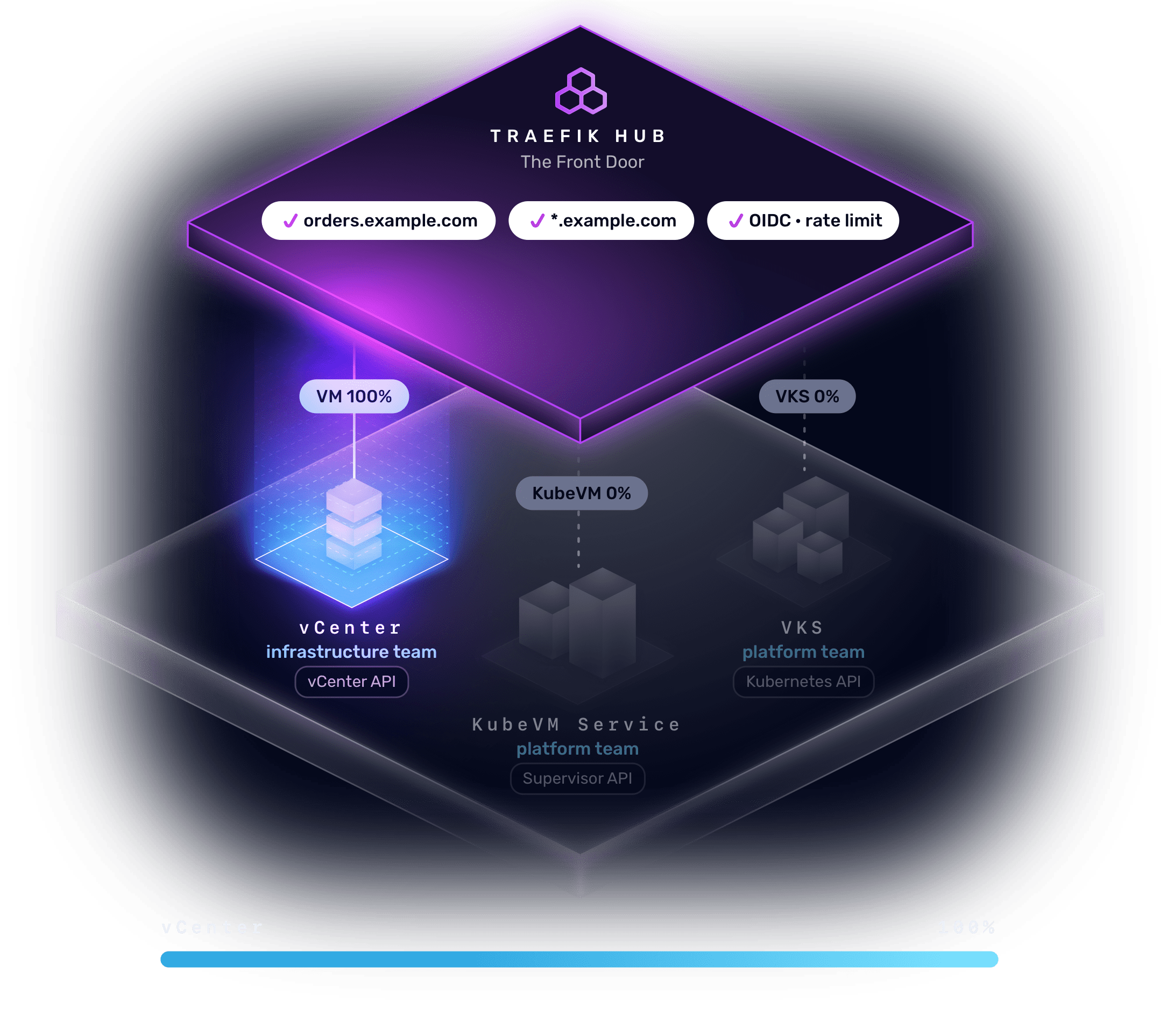
kind: TraefikService weighted: services: # the VM in vCenter - name: orders@vcenter kind: TraefikService weight: 100 # the KubeVM Service VM - name: orders-kubevm weight: 0 # the containers on VKS - name: orders weight: 0Step 02
The App Moves to a KubeVM
The platform team runs it in YAML and Git. A test slice goes first, then all of it.
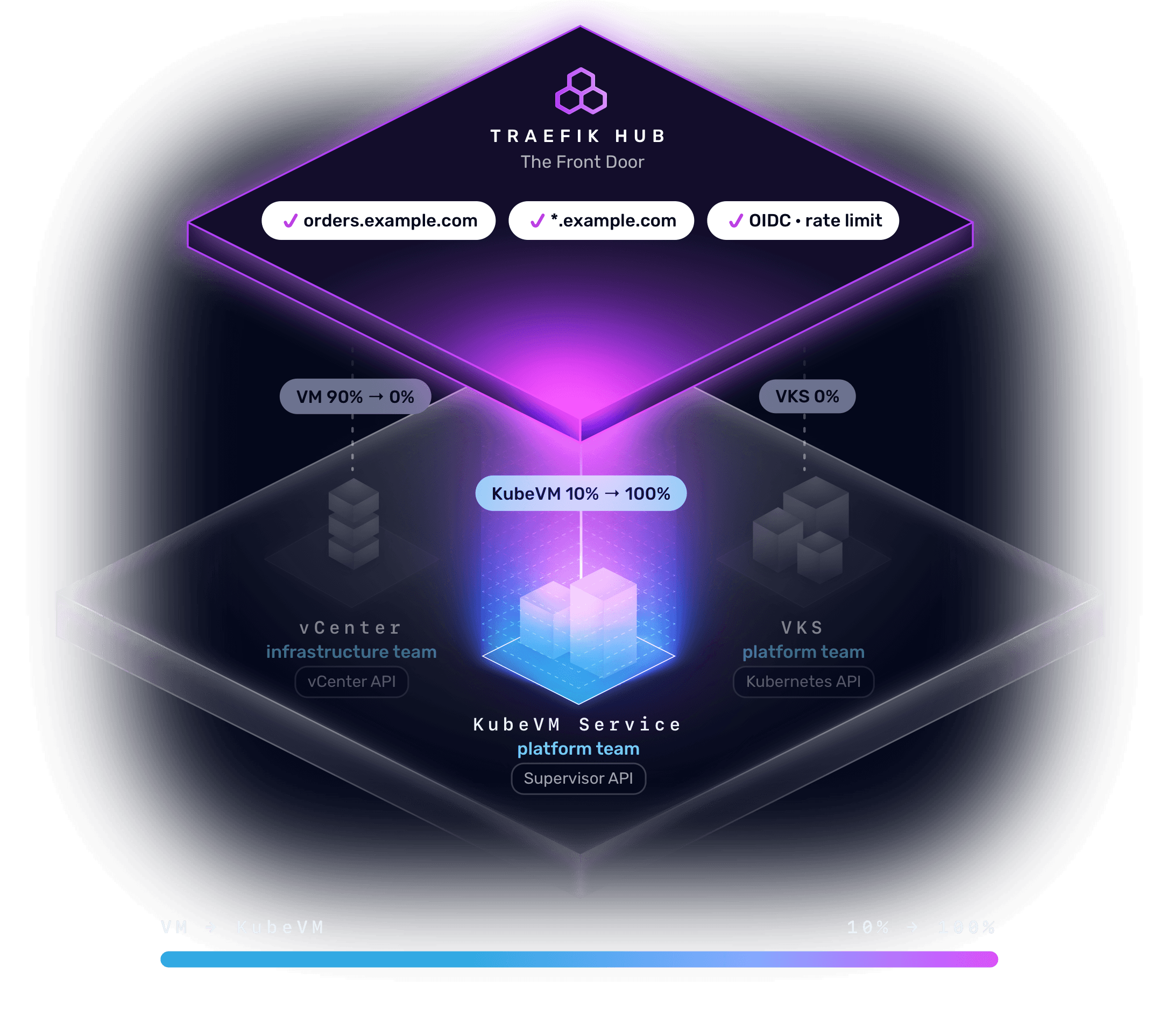
kind: TraefikService weighted: services: # the VM in vCenter - name: orders@vcenter kind: TraefikService- weight: 100+ weight: 0 # the KubeVM Service VM - name: orders-kubevm- weight: 0+ weight: 100 # the containers on VKS - name: orders weight: 0Step 03
The App Becomes Containers on VKS
All traffic moves to the containers. If anything looks wrong, the same change sends it back.
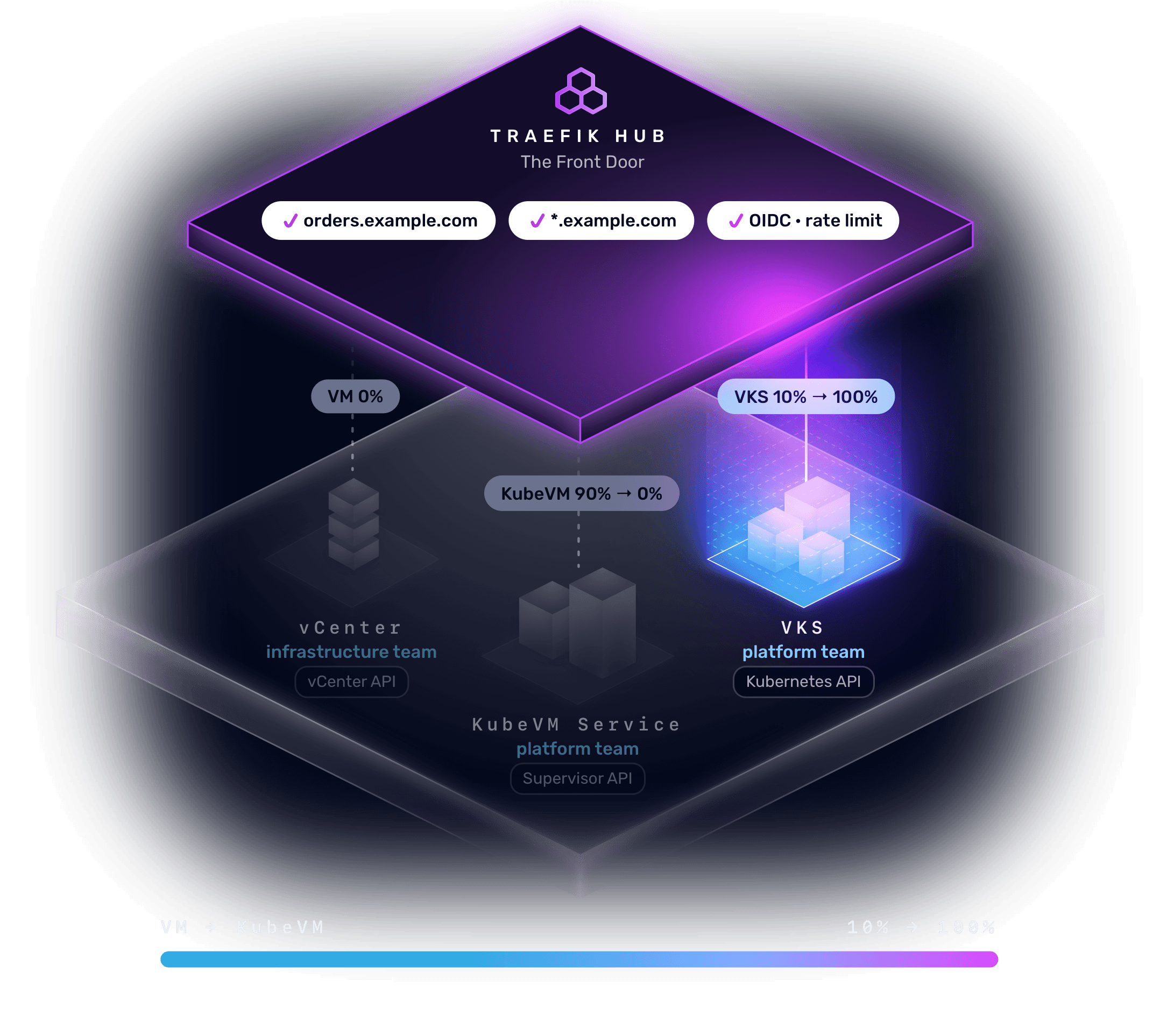
kind: TraefikService weighted: services: # the VM in vCenter - name: orders@vcenter kind: TraefikService weight: 0 # the KubeVM Service VM - name: orders-kubevm- weight: 100+ weight: 0 # the containers on VKS - name: orders- weight: 0+ weight: 100One Change
The route, the TLS certificate, and the middlewares live on the gateway, so shifting the application is a weight change.
The Benefits
Modernize at the Pace Your Business Sets
Move When the Business Is Ready
The gateway never sets the schedule.
Keep Each Team on Its Own Tools
vCenter for infrastructure. YAML and Git for the platform team.
Move Without Users Noticing
Same address, same certificate, same policy.
Cut Over, and Back, With One Change
Try a slice first. Reverse it the same way.
Add API and AI Governance When You Need It
API management, the AI Gateway, and the MCP Gateway can all be added to the same binary.
VALIDATED REFERENCE ARCHITECTURE
Traefik on vSphere Kubernetes Service on VMware Cloud Foundation
Frequently Asked Questions
No. A vCenter VM declares its services in its own metadata, and a KubeVM Service VM through its VirtualMachineService. The applications stay as they are, and clients keep the address they already use.
What Users Have to Say













VMware Cloud Foundation Runs Every Workload. Traefik Hub Gives Them One Front Door.
Modernize at your own pace. The Traefik Labs team can walk you through the validated architecture.