From Zero to Production-Grade WAF (Without the Appliance Pain)


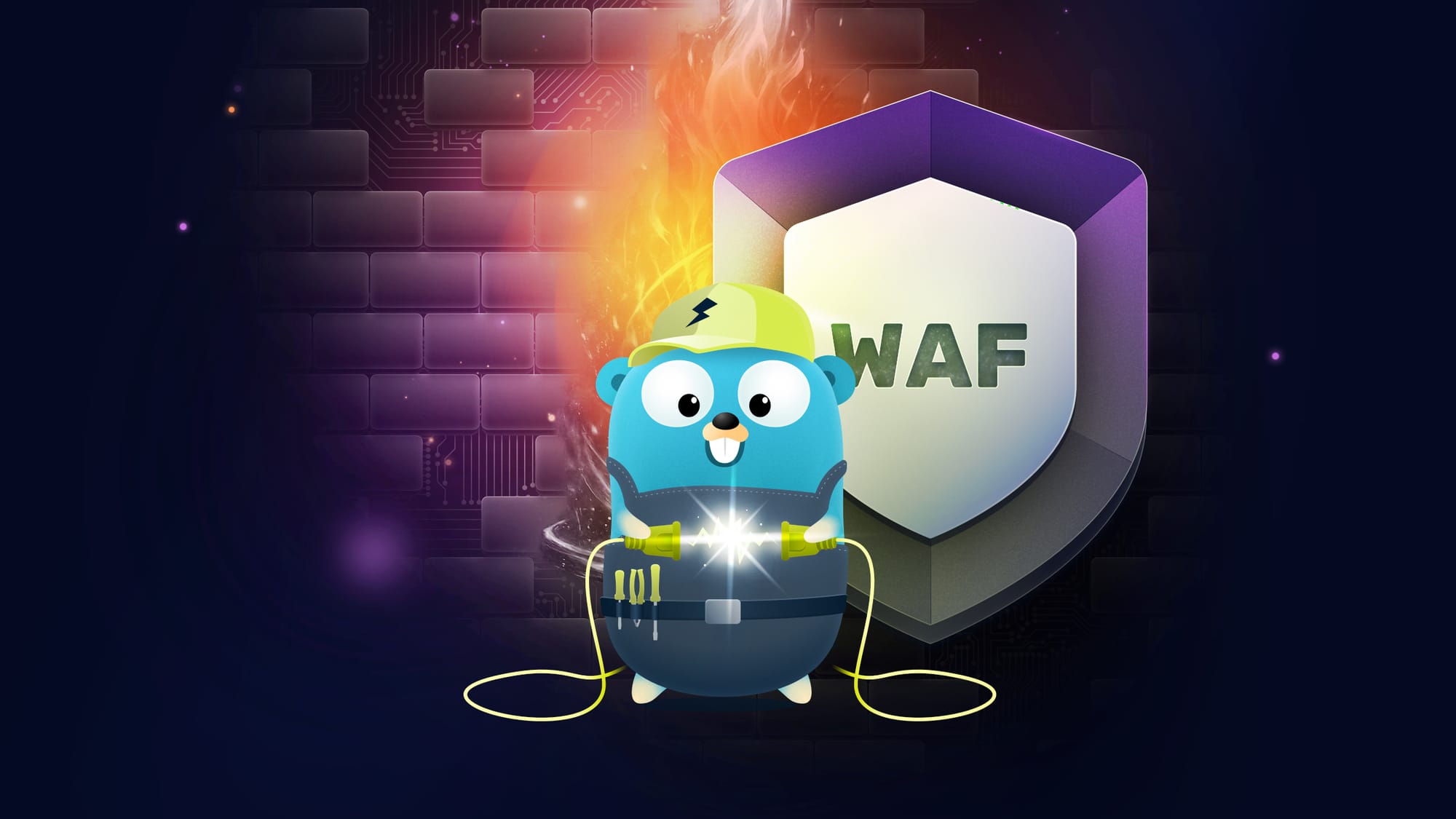
Traefik Hub + Coraza + OWASP CRS give developers a practical, high-powered WAF that fits cloud-native workflows.
Let us start with the uncomfortable truth: your app is getting hammered long before it hits prod.
As of January 2026, Imperva reports that almost 51% of internet traffic is non-human, and bad bots alone make up nearly one-third of all traffic. Data Breach Investigations Report 2025 adds a second punch: a 34% increase in attackers exploiting vulnerabilities to gain initial access. These are the turbulent waters your APIs are shipping into.
And it gets worse. SQL injection alone accounts for 65% of all web application attacks. A 20+ year-old vulnerability class that still dominates. When breaches happen, IBM's 2025 report shows U.S. costs average $10.22 million, while global costs average at $4.44 million.
This is why Web Application Firewalls (WAFs) still matter. Not because they replace secure coding, but because they buy you time and block obvious exploitation while you patch, tune, and ship.
The other truth: WAFs used to mean expensive appliances and slow integrations. That is no longer the case. Traefik Hub API Gateway integrates Coraza WAF as a native feature, providing high-performance protection with an implementation flow that fits developer workflows. Coraza and OWASP CRS are both well-maintained, standalone open-source projects, and now Traefik Hub packages them into a production-ready gateway.
Before we dive into how to deploy and test Traefik Hub's native WAF integration, let's quickly explore why they matter and the technologies behind them.

Why WAFs Matter (Right Now)
A WAF is a shield in front of your app. It inspects HTTP traffic and blocks known malicious patterns before requests hit your code. You still need secure coding, auth, and rate limiting. But WAFs are your safety net when:
- You cannot patch instantly
- Attackers are automated and relentless
- A single vulnerable endpoint could open the door to [insert your most valuable information sources here]
The dataset behind the OWASP Top 10:2025 document includes over 2.8 million applications. In that data, common risk categories remain pervasive: Broken Access Control, Security Misconfiguration, and Cryptographic Failures show up in production apps at scale. Those are not edge cases. They are everyday issues.
Here's how WAF coverage maps to the OWASP Top 10:
| Rank | Category | WAF Coverage |
|---|---|---|
| A01 | Broken Access Control | Custom rules |
| A03 | Software Supply Chain Failures | Partial |
| A04 | Cryptographic Failures | Limited |
| A05 | Injection (SQLi, XSS) | Full CRS coverage |
| A06 | Insecure Design | Limited |
| A07 | Authentication Failures | Custom rules |
| A10 | Mishandling of Exceptions | Partial |
Notice that injection attacks (the category that includes SQL injection and XSS) get full CRS coverage out of the box. Given that SQLi represents 65% of web app attacks, that is significant protection for minimal effort.
Your Defense Stack... In Plain English
Here is what each piece does:
- ModSecurity: the original open-source WAF engine. The project calls it the "Swiss Army Knife" of WAFs. It defined the standard for rule-based web application firewalls.
- SecLang: the ModSecurity rules language. Rules look like
SecRule VARIABLES "@OPERATOR ..." "ACTIONS". - Coraza: a modern, high-performance WAF engine that speaks the same language as ModSecurity (SecLang). Written in Go, memory-safe, actively maintained. Think of it as the next-generation engine that runs the same rules.
- OWASP CRS: the rule set. A community-maintained collection of generic attack detection rules designed to cover the OWASP Top Ten with minimal false alerts. Over 500 rule bypasses closed through their bug bounty program.
- Traefik Hub API Gateway: a commercial gateway that integrates Coraza WAF and makes deployment and tuning practical for teams.
Coraza gives you the WAF engine, CRS gives you the rules, and Traefik Hub turns it into a clean, deployable, version-controlled middleware.
The WAF Landscape: Why Cloud-Native Wins
The Problem with Legacy Enterprise WAFs
Traditional enterprise WAFs come with enterprise pricing: $50,000 to $100,000+ annually. They require dedicated security teams, complex deployment processes, and were not designed for Kubernetes or microservices architectures. Hidden costs abound: throughput limits, overage charges, and mandatory professional services.
Cloud Provider WAFs: Death by a Thousand Cuts
AWS WAF looks affordable at first: $5/month plus $1/rule plus $0.60/million requests. But add Shield Advanced for DDoS protection, and you are looking at ~$3,000/month. Costs scale unpredictably with traffic, and you are locked into a single cloud provider.
The real problem is not just cost. It is opacity. Cloud provider WAFs are black boxes. You cannot see exactly what rules are doing, you cannot customize the detection logic, and you cannot audit the security decisions being made. When a false positive blocks legitimate traffic, debugging is guesswork.
The Traefik Hub Gateway-Backed Approach
Traefik Hub takes a different path:
- Affordable pricing: Enterprise-grade WAF without the enterprise “big-vendor” pricing
- Cloud-native architecture: Built for Kubernetes and microservices from day one
- Native Coraza integration: No sidecars, no WASM overhead, no complex setup
- Open-source foundations: Battle-tested Coraza engine & OWASP CRS rules
- Transparent rules: You can see exactly what is being blocked, no black box
You get the best of both worlds: an open-source WAF engine with community-hardened rules, commercial support, and native integration through Traefik Hub.
Architecture at a Glance
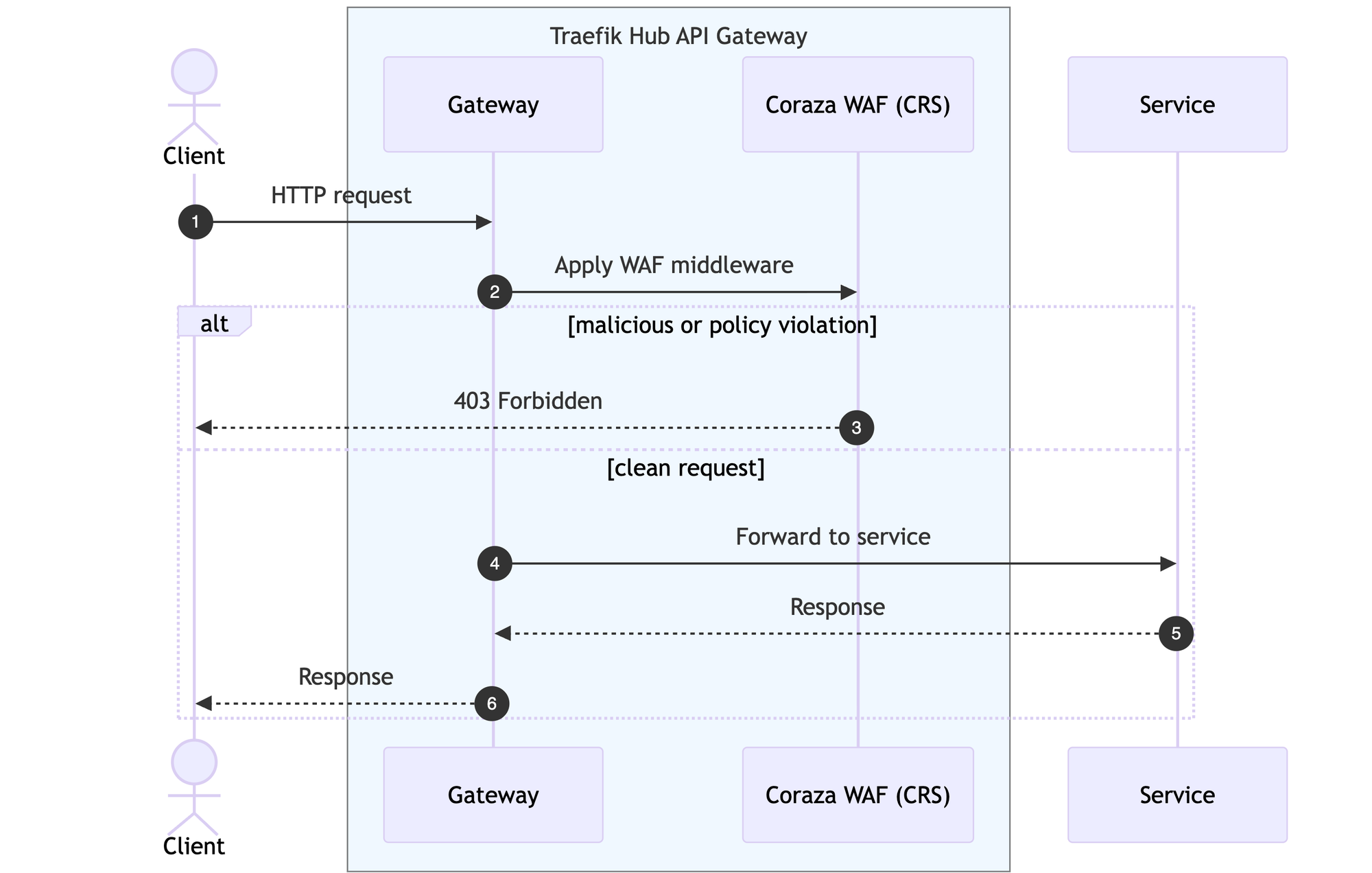
WAF protection is applied as middleware. That design matters because you can:
- Enable it per route or per service
- Start in detection-only mode
- Layer it with OIDC, JWT, or rate limiting
- Tune rules without touching application code
This is the developer workflow we want: security becomes a YAML configuration change, reviewed in Git, shipped with the same pipeline as your app.
Hands-On: From Zero to Protected
Here is a minimal middleware that enables CRS and turns the engine on:
apiVersion: traefik.io/v1alpha1
kind: Middleware
metadata:
  name: waf
  namespace: apps
spec:
  plugin:
    coraza:
      crsEnabled: true
      directives:
        - Include @coraza.conf-recommended
        - Include @crs-setup.conf.example
        - Include @owasp_crs/*.conf
        - SecRuleEngine On
        - SecRequestBodyAccess On
Attach that middleware to an IngressRoute, and your service is protected.
Quick Start: A Local Demo You Can Actually Run
This kit uses k3d + Traefik Hub + Coraza + CRS, then runs Bruno (or Postman) tests to validate 200 (OK) vs 403 (Forbidden) behavior.
# 0) Unzip the the Workshop Repository
cd traefik-waf-test-kit

# 1) Create a local cluster
k3d cluster create traefik-waf \
  --port 80:80@loadbalancer \
  --port 443:443@loadbalancer \
  --port 8000:8000@loadbalancer \
  --k3s-arg "--disable=traefik@server:0"

# 2) Add Traefik Helm Repository
helm repo add --force-update traefik https://traefik.github.io/charts

# 3) Create Traefik Namespace and License
kubectl create namespace traefik

# Note: Generate your Traefik Hub token from https://hub.traefik.io
# Replace <TRAEFIK_HUB_TOKEN> with the token from hub.traefik.io
kubectl create secret generic traefik-hub-license --namespace traefik --from-literal=token=<TRAEFIK_HUB_TOKEN>

# 4) Install Traefik Hub
helm upgrade --install --namespace traefik traefik traefik/traefik \
  --set hub.token=traefik-hub-license \
  --set ingressRoute.dashboard.enabled=true \
  --set ingressRoute.dashboard.matchRule='Host(`dashboard.docker.localhost`)' \
  --set ingressRoute.dashboard.entryPoints={web} \
  --set image.registry=ghcr.io --set image.repository=traefik/traefik-hub --set image.tag=v3.19.0

# 5) Create Application Namespace
kubectl create namespace apps

# 6) Deploy the httpbin app + WAF middlewares
kubectl apply -f httpbin-waf/
Now validate with a normal request and a SQL injection attempt:
# normal request -> 200 OK
curl -i "http://httpbin.traefik.localhost/waf/anything?test=hello"

# SQLi attempt -> 403 Forbidden
curl -i "http://httpbin.traefik.localhost/waf/anything?user=admin&password=test%27%20OR%20%271%27%3D%271"
You can also run the Bruno collection in bruno-waf-tests/ for full coverage across SQLi, XSS, bots, traversal, command injection, and sensitive files examples.
Want to see the full test suite in action? Try Traefik Hub with a complete WAF test kit, which includes 19 pre-built attack scenarios across 8 categories, plus the full middleware config with 50+ custom rules. Request your trial here.
How the Rules Work (So You Can Tune Them)
CRS is not just regex. It is a structured ruleset that targets specific attack classes and uses anomaly scoring to decide when to block. That is why tuning is possible without turning protection into guesswork.
SecLang rules are readable and direct. The syntax is:
SecRule VARIABLES "@OPERATOR OPERATOR_ARGUMENTS" "ACTIONS"For example:
SecRule ARGS "@detectSQLi" "id:302,phase:2,deny,msg:'SQL Injection detected'"
This rule checks all request arguments (ARGS) for SQL injection patterns (@detectSQLi), runs during phase 2 of request processing, denies matching requests, and logs a message. The syntax is powerful enough to express complex conditions, yet readable enough for security teams to audit.
You can use CRS for baseline protection and then add tight custom rules for your app's specific needs:
# Admin path protection
- SecRule REQUEST_URI "@rx /admin" "id:102,phase:1,log,deny,status:403,msg:'Admin path blocked'"

# Bot and scanner detection
- SecRule REQUEST_HEADERS:User-Agent "@pm sqlmap nmap nikto" "id:501,phase:1,deny,msg:'Scanner detected'"

# Sensitive file protection
- SecRule REQUEST_URI "@pm .git .env .conf" "id:505,phase:1,deny,msg:'Sensitive file access'"
Rollout Strategy That Won't Break Prod
A safe rollout looks like this:
1. Detection-only: Deploy with SecRuleEngine DetectionOnly to see what would be blocked without impacting production. Let it run for at least a week to capture normal traffic patterns.
- SecRuleEngine DetectionOnly2. Review: Analyze the logs. Group blocked requests by rule ID. Look for false positives (legitimate requests that triggered rules). Common culprits include rich text editors, JSON payloads with code snippets, and query strings that resemble attacks.
3. Tune: Create exclusion rules for legitimate patterns. Be surgical. Do not disable entire rule categories when a narrow exclusion will suffice. CRS uses anomaly scoring, so you can also tune the tx.inbound_anomaly_score_threshold variable.
4. Enforce: Switch to blocking mode once you are confident.
- SecRuleEngine On5. Expand progressively: Start with your lowest-risk endpoints, verify everything works, then expand coverage. This reduces the blast radius if you missed something during testing.
This is the difference between "WAF as a checkbox" and "WAF that actually helps." It should block real attacks, not your legitimate users.
Production Considerations
Defense in Depth
WAF is one layer among many you can add. Combine it with:
- Rate limiting: Prevent brute force and volumetric attacks
- Authentication: OIDC, JWT, or OAuth2 for identity verification
- Security headers: CSP, HSTS, X-Frame-Options for browser-side protection
- mTLS: Certificate-based service-to-service authentication
Traefik Hub supports all of these as composable middleware. Your security configuration lives in Kubernetes manifests: version-controlled, reviewable in pull requests, and deployed alongside your applications through the same GitOps pipelines.
Monitoring and Observability
A WAF that silently blocks attacks is not giving you the security posture improvement you need. Enable structured JSON audit logging and forward to your centralized logging platform (ELK, Loki, Splunk). Set up alerts for:
- Blocked request spikes: Often indicates an active attack. Correlate with source IPs.
- New attack patterns: Watch for rule IDs you have not seen before.
- False positive patterns: Track when legitimate users report issues.
- Anomaly score distributions: Monitor how close legitimate traffic gets to your blocking threshold.
Treat WAF logs as a security data source, not just application logs. They tell you what attackers are trying to do, which can inform broader security improvements.
Enterprise Protection with Developer Workflows
The payoff is not just security. It is developer time and operational sanity.
- No heavyweight appliance or weeks-long integration
- Proven rules mapped to the OWASP Top 10 risks
- Local demo and validation in minutes
- Configuration lives in Git and deploys with your app
- Transparent, auditable rules you can read and customize
- Crowdsourced intelligence with constant ruleset updates
WAFs no longer require massive security budgets. With Traefik Hub API Gateway integrating Coraza & OWASP CRS, you deploy a modern WAF in a way that fits developer workflows while still delivering production-grade performance.
Ready to experience cloud-native WAF protection? Click below to request your free trial of Traefik Hub and get our complete WAF Test Kit. It includes the full middleware config with 50+ security rules, Bruno test suite with 19 attack scenarios across 8 categories, Kubernetes deployment manifests, and a step-by-step deployment guide.
Sources
- Imperva 2025 Bad Bot Report - 51% non-human traffic
- Data Breach Investigation Report 2025 - 34% increase in vulnerability exploitation
- SQL Injection = 65% of Web App Attacks - Dark Reading
- IBM Cost of Data Breach Report 2025 - $4.44M global avg, $10.22M U.S.
- OWASP Top 10:2025
- OWASP Core Rule Set
- Coraza WAF
- Coraza SecLang Syntax
- Traefik WAF Solution